A growing body of knowledge
Organize papers around your research, with folders, search and archiving that keep your library in order.
A quieter space for curious minds
From finding a good paper to making sense of it. Bring the original, your notes and AI into the same conversation.
Windows x64 · macOS Apple Silicon · Ubuntu x64 · Android 10+Latest stable release
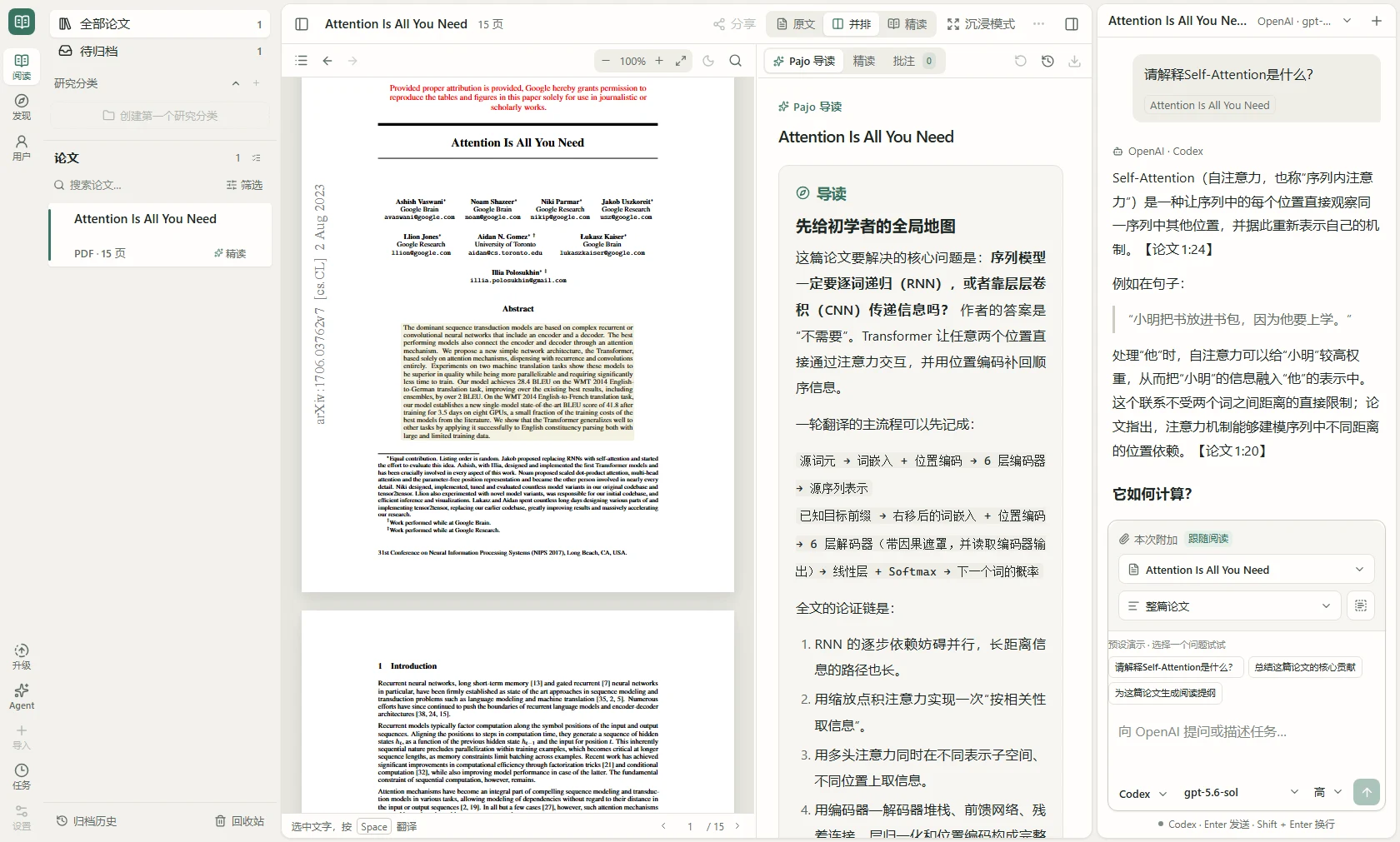
Follow your curiosity further
Discover, read, ask and organize. Everything you need to think about a paper, right where you need it.
Explore arXiv and OpenAlex by field, author, journal or conference. Follow your research interests and find something worth reading.
Read the PDF alongside paragraph translations and close-reading notes. Move between the explanation and the source, at your own pace.
Give your Agent the current paper or a set of references. Explore methods, untangle ideas and follow citations back to the original.
One workspace. Room to think.
From the whole picture to a quiet moment with just the paper and your notes.
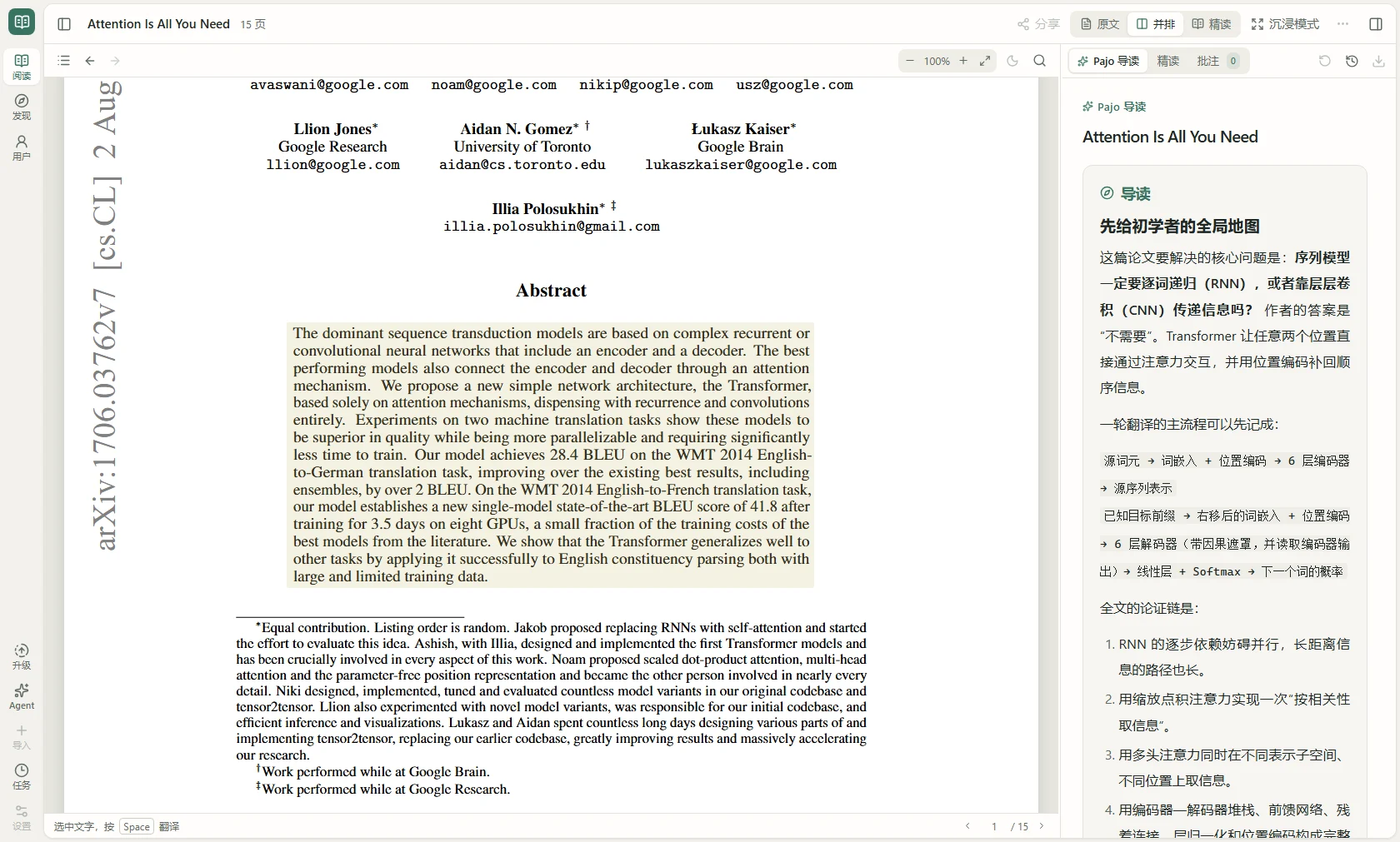
Your library, PDF, notes and Agent work together, keeping the thread of your reading intact.
Explore recommendations and research fields, then bring interesting papers into your library.
Keep papers in context as you ask follow-up questions, clarify ideas and explore further.
Ask the app-wide Agent to explain Attention, prepare a reading outline and preview its work.
Build on what you understand
Keep each insight in your own library. Pick up the thread when you return.
Organize papers around your research, with folders, search and archiving that keep your library in order.
Export Markdown notes, papers and related resources. Turn what you understand into material you can use again.
Use your PaperEnjoyer account to sync your library, notes and supported conversations between devices.
Q & A
Installers are available for Windows x64, macOS Apple Silicon (M-series chips), and Ubuntu 22.04 / 24.04 / 26.04 LTS x64 (amd64). Intel Mac, native Windows ARM and Linux ARM builds are not currently available.
Basic PDF reading, library management and existing notes do not depend on AI generation. PaperCore Free provides built-in AI; available models and limits are shown in the app. You can also connect your own model service or Agent account, which may carry separate provider charges.
The app keeps a local library and, with account sync enabled, a cloud copy. MinerU parsing and cloud AI reading upload required materials even when library sync is off. Earlier versions may enable sync by default, so review settings. The Privacy Policy linked below explains the data flows.
Yes. Your PaperEnjoyer account syncs supported library content and preferences. PaperCore and custom HTTP-model reading tasks run on the server and can continue after the app closes. Codex and DeepSeek/DSH Agent reading is managed on your local device.
On Windows, check for updates in Settings → About & updates, then download and confirm a restart to install. On macOS, download the new DMG, quit the app and replace it in Applications. On Ubuntu, download the new DEB, quit the app and upgrade with sudo apt install. You can always get the latest stable release here.

Your next paper starts here
Get PaperEnjoyer. Make your next reading a discovery.
For Windows x64
Run Setup.exe and follow the installer. Current builds do not carry a commercial code-signing certificate, so Windows may show a prompt. Verify that the file came from the official release linked here.
For Apple Silicon Macs
Open the DMG and drag PaperEnjoyer into Applications. Current builds are not notarized by Apple. If macOS blocks the app, review and allow it in System Settings → Privacy & Security, without disabling system-wide protection.
For Ubuntu LTS x64 (amd64)
Supports Ubuntu 22.04 / 24.04 / 26.04 LTS x64. Download the DEB, quit the app and run sudo apt install ./PaperEnjoyer-<version>-Linux-amd64.deb from your download folder, replacing <version> with the downloaded version. Installing or upgrading preserves your library and settings.
For Android 10 or later
Download the APK, allow installation from this browser and open the file. Install updates over the existing app to keep your library and settings. Use official releases and keep Android System WebView up to date.